ShipsBells Help
Getting the clock ringing.
ShipsBells is designed to be simple. These notes explain the main screens and the few iPhone behaviors worth knowing.
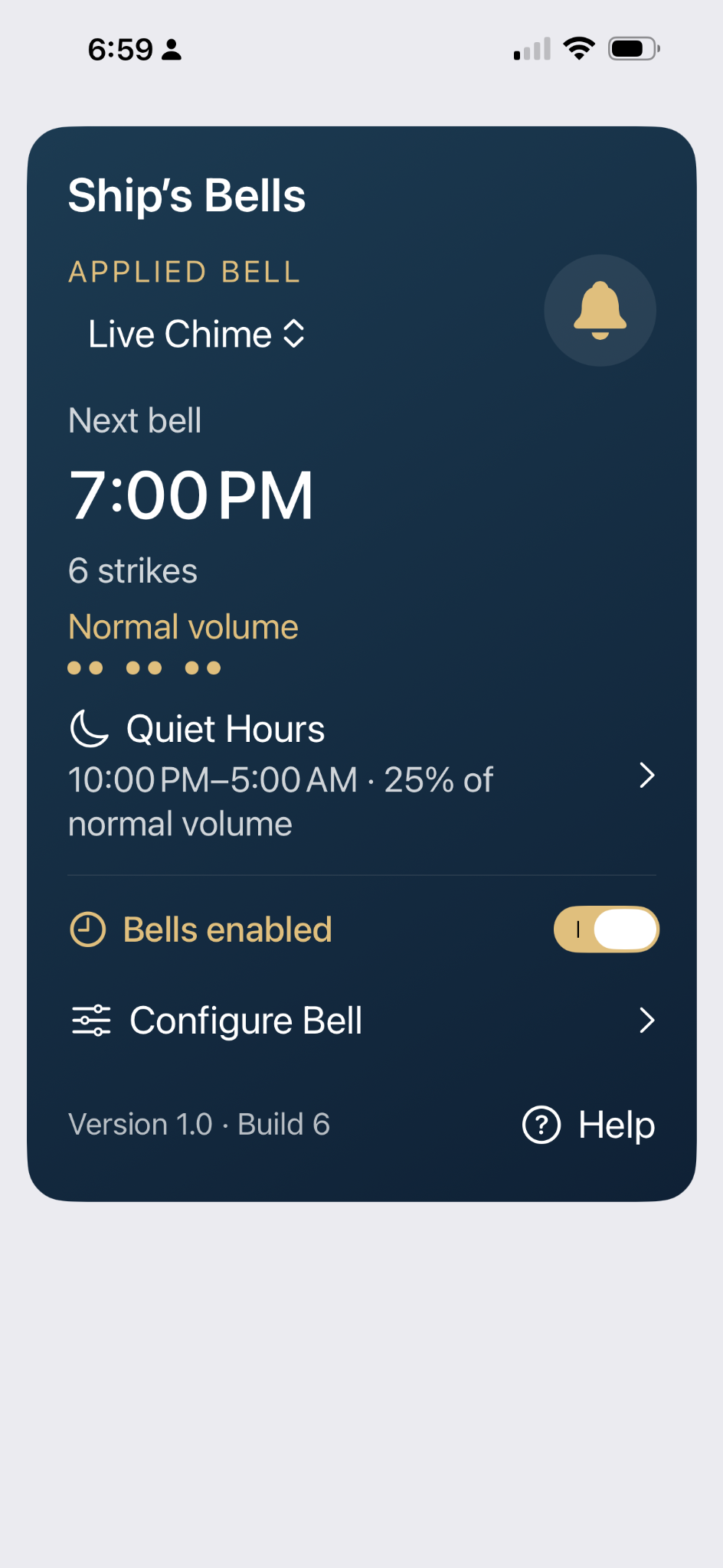
Main screen
The main screen shows the bell currently applied to the clock, the next scheduled bell, the number of strikes, and whether Quiet Hours is in effect.
Bells enabled turns the scheduled clock on or off. Configure Bell opens the bell editor.
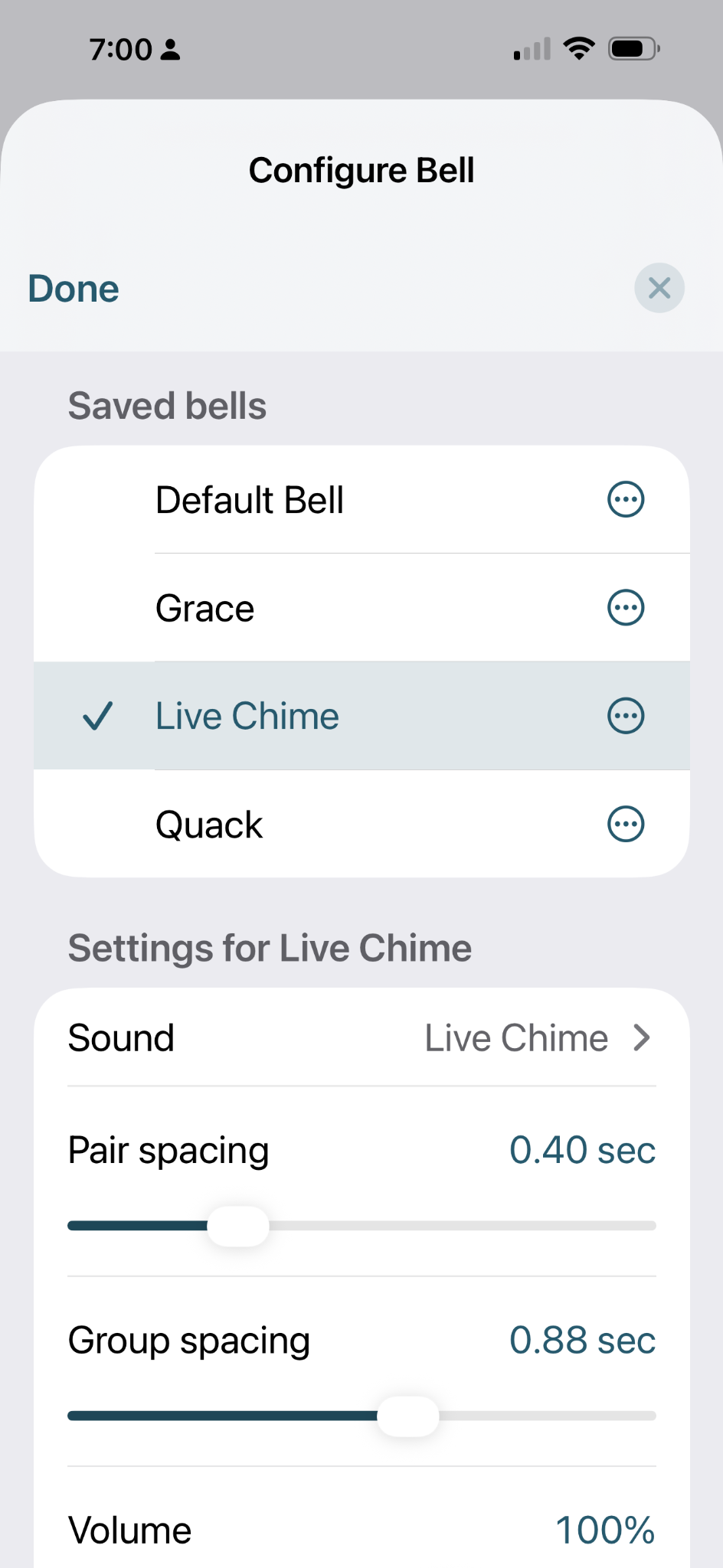
Configure Bell
Choose one of your saved bells, then adjust the sound, pair spacing, group spacing, and volume.
Pair spacing is the interval between two strikes in a pair. Group spacing is the longer pause between pairs.
Use the test controls in the editor to hear the result before applying it to the clock.
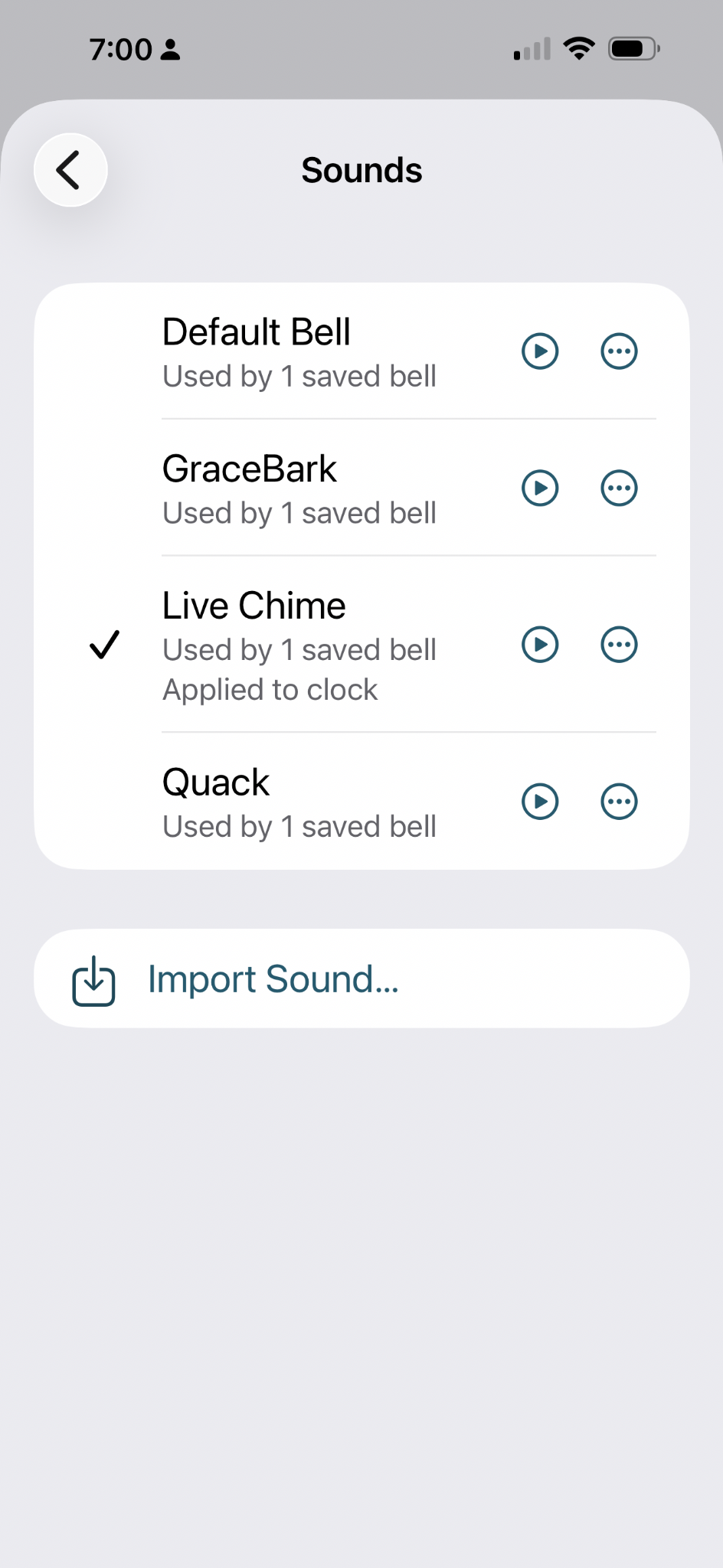
Sounds
The Sounds screen lists the audio available to ShipsBells. Tap the play button to preview a sound.
Import Sound… lets you choose an audio file from Files or iCloud Drive. Imported sounds stay on your device unless you explicitly share them.
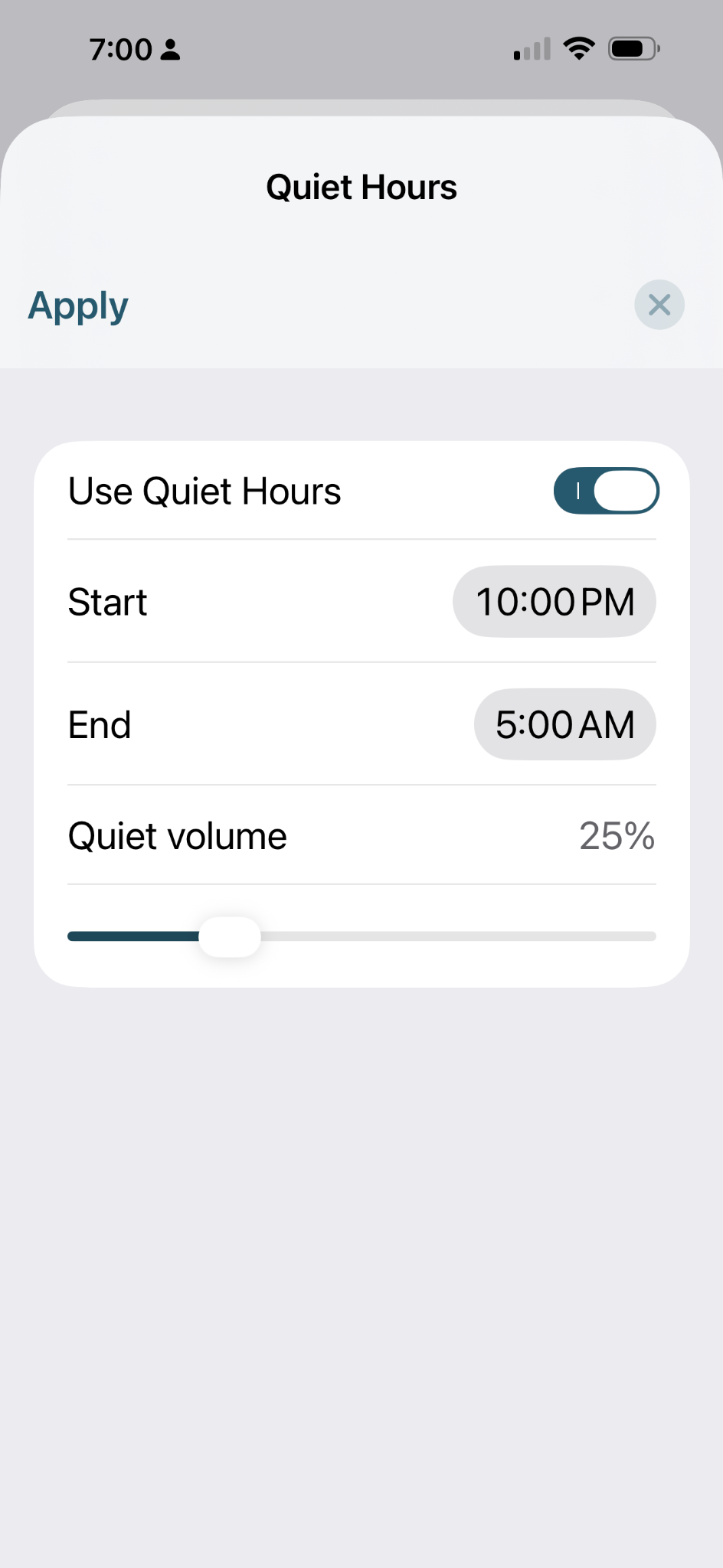
Quiet Hours
Turn on Quiet Hours, choose the start and end times, and select the volume you want during that period.
The bell schedule continues normally; only the playback volume is reduced.
Troubleshooting
Test bells work, but scheduled bells do not
Check that Bells enabled is on, that the desired bell is applied to the clock, and that notification sounds are allowed for ShipsBells in iPhone Settings.
The bells are silent in my car
Bluetooth can change how iPhone notification audio is routed. If test sounds work but scheduled notifications are silent while connected to a vehicle, iOS or the vehicle’s audio system is usually controlling that behavior.
I changed settings but the clock still uses the old version
Edits are separate from the bell currently applied to the clock. Apply the bell after you have finished making changes.